
Connect Criteo
Connect your Criteo account to pull up retail media and retargeting campaign data just by chatting with AI. When needed, you can also ask in the conversation to turn ad sets on or off and adjust budgets (you'll confirm before anything runs).
How to connect
In your workspace, go to Data sources and select Criteo.
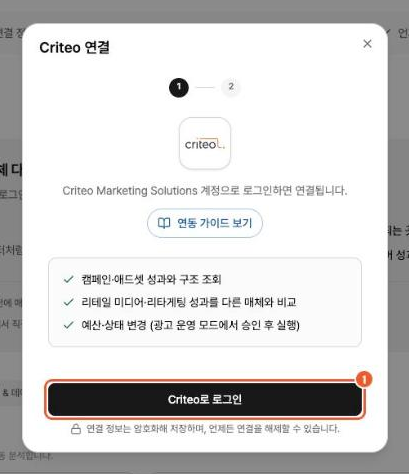
Click Sign in with Criteo, sign in with your Criteo Marketing Solutions account, and approve the permissions.
From the list of advertisers, select the one to connect to this workspace. A single Criteo account can access multiple advertisers, so be sure to pick the advertiser you actually manage.
What you can do after connecting
View performance: Analyze cost, impressions, clicks, revenue, and ROAS by campaign, ad set, ad, device, channel, and date.
Make changes: Within the permissions you have, ask in the conversation to turn ad sets on or off, adjust ad set budgets, and create or edit campaigns and ad sets (you'll confirm before anything runs).
Compare platforms: Compare Criteo performance with data from your other connections, such as Google Ads, Meta Ads, and GA4.