
Overview
Let's take a look at Neuro: what data you can use, what automation features it offers, and more.
1. What is Neuro?

Neuro is an AI ad agent built by Pango GY.
It isn't a dashboard you open just to read numbers. It's a tool that gets the work done: tell it what you need in a conversation, and it finds the data, analyzes it, and even produces the final deliverables.
It looks at ad data from Naver, Google, Meta, GA4, and more, together with market data such as search trends and public data. Now you can complete the whole process just by chatting with AI, from building your marketing strategy to running ads, in-depth analysis, and creating reports.
2. Key features
Neuro's main features include AI chat, Ad operations mode, and AI automation.
AI chat

Handle report writing, data analysis, campaign setup and adjustments, and even PowerPoint decks in a single conversation. There's no need to switch between each platform's admin screen or build reports separately.

Ad operations mode
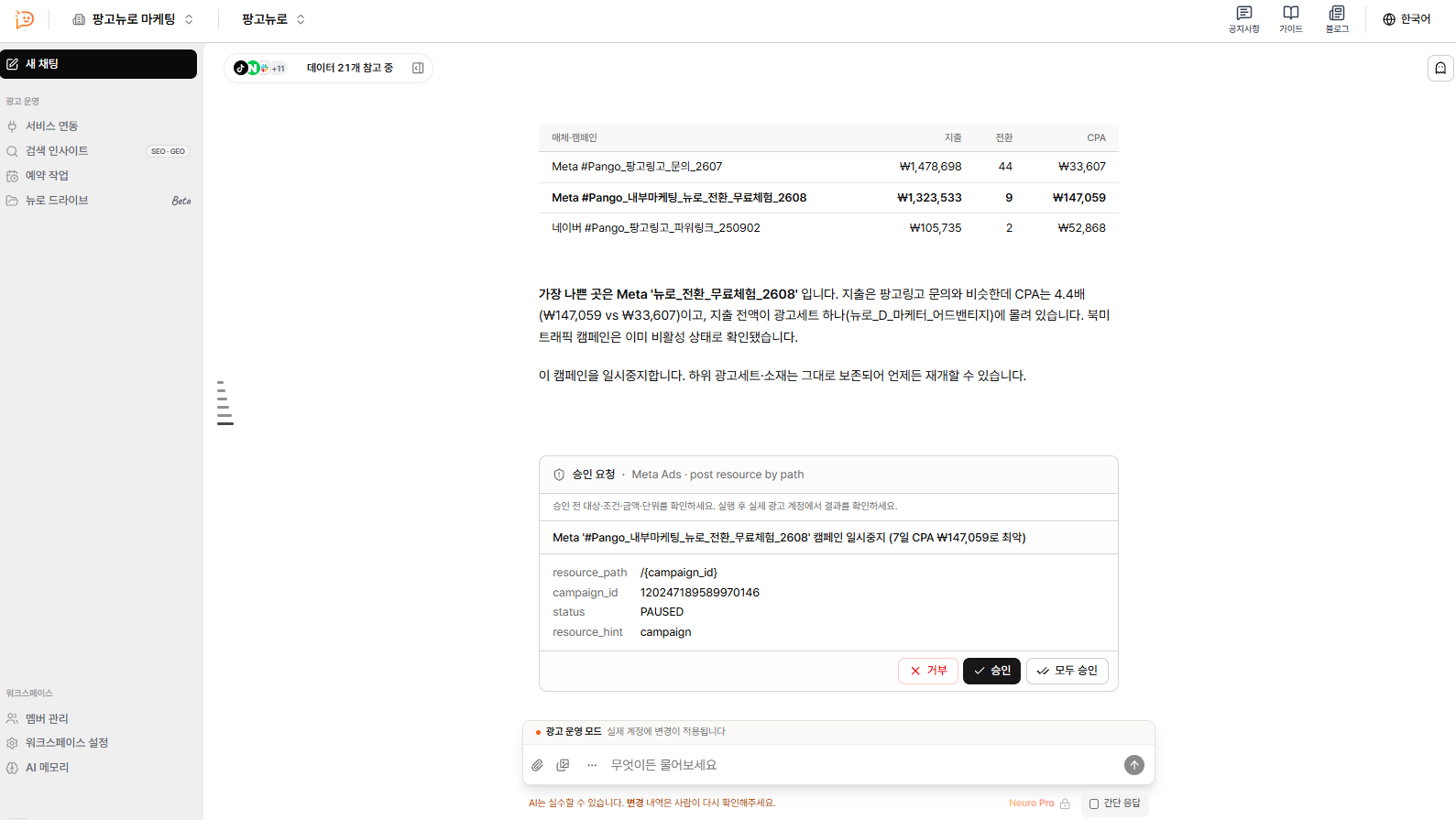
Tell Neuro in a conversation to create campaigns, change budgets and bids, change statuses, or add creatives and keywords, and Neuro carries it out. Every change is applied to your live ads only after you click the approval card.

AI automation

Examples
* Weekly performance reports
* Daily anomaly checks
* Alerts when a condition is met (e.g., notify me when CPA goes over the target)

Ad creative production
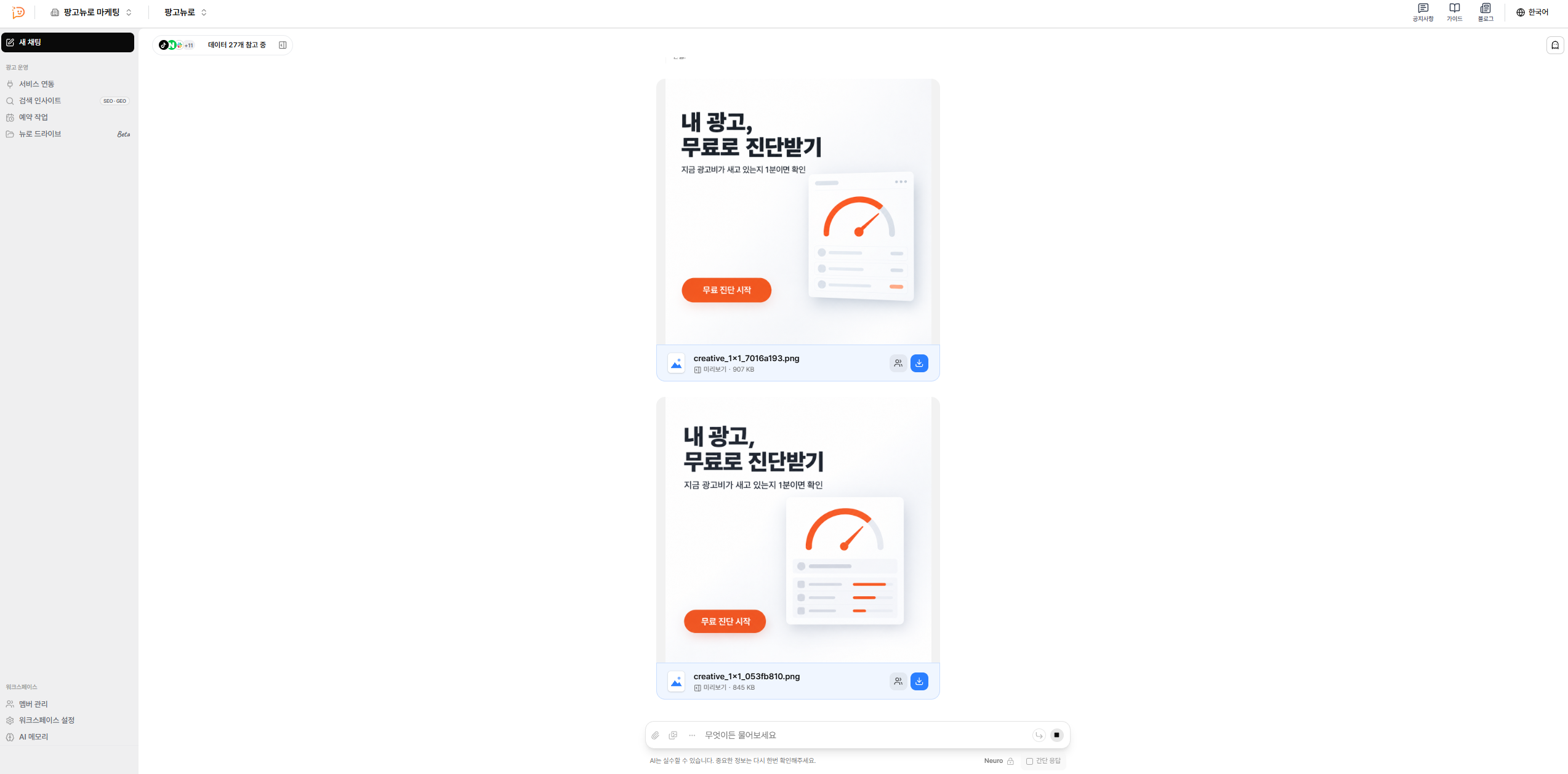
You can create ad creatives through conversation. Build your prompt around your brand and product context, and you'll get image creatives that fit.

3. Supported platforms and data
The data used in Neuro's AI chat falls into two groups: built-in data you can use without connecting anything, and data that requires you to connect your accounts.
3-1. Built-in data
Trend and search data: Naver DataLab (search and shopping trends), Naver Blog and Cafe search results
Competitor ad creative analysis: Naver (Power Link, Shopping, organic search, Blog), Google Ads Transparency Center, Meta Ad Library, YouTube, TikTok Ad Library
TV and radio ads: Cross-media ad product catalog, TV ad ratings (GRP per ad spot, by channel and program across 10+ channels in the Seoul metropolitan area)
Seoul open data: Floating population (Korean nationals) by administrative neighborhood (dong), subway boardings and alightings by line, station, and hour, and bus boardings and alightings by route, stop, and hour
Commercial district data: Nationwide store and business-type distribution from the Small Enterprise and Market Service (by neighborhood, business type, and commercial district)
Media audience survey: Korea Press Foundation 2025 raw data (6,000 respondents aged 19 and over; cross-analysis of news consumption, media trust, and demographics)
YouTube: Trending videos (Korea, by category) and video comments
Campaign type info: Reference on campaign types and structures for each platform
Korean public holidays: Public holidays, traditional holidays, and Boknal (the hottest days of summer), based on the Korea Astronomy and Space Science Institute
3-2. Data that requires a connection
Ad platforms: Naver Search Ads, Google Ads, Meta Ads, Kakao Moment, TikTok Ads, Microsoft Ads (Bing), Criteo, Pinterest Ads, Reddit Ads, X Ads, LinkedIn Ads, Display & Video 360, Apple Ads, ChatGPT Ads, LY Ads Search, LY Ads Display, Amazon Ads, Karrot Ads, Moloco
Commerce and creators: Naver Commerce (Smart Store), Cafe24, Meta Catalog, TikTok Catalog, Meta Creator Marketplace, TikTok Creator Marketplace
Analytics and measurement: Google Analytics 4, Google Tag Manager, Google Search Console, AppsFlyer, Adjust, Airbridge, BigQuery
Docs and collaboration: Google Sheets, Google Docs, Notion, Slack