
Connect Google Analytics 4
Connect your Google Analytics 4 account so the AI can analyze not only your ad performance but also how users arrived and went on to convert.
How to connect
In your workspace, go to Data sources and select Google Analytics 4.
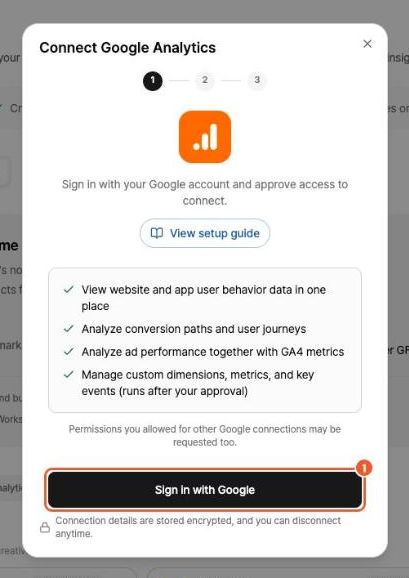
Click Sign in with Google, then sign in to Google and grant permissions in the pop-up.
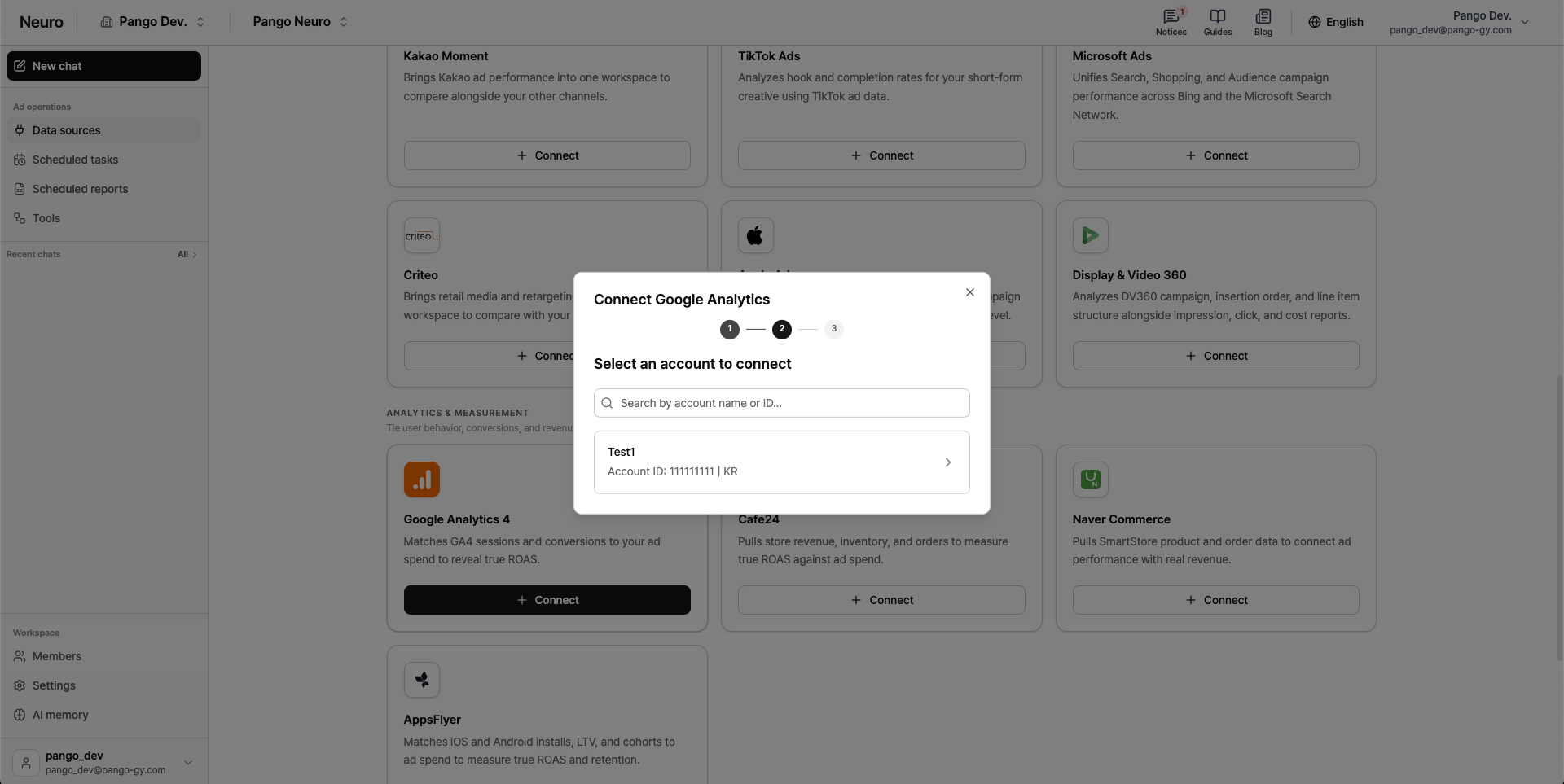
Select your Google Analytics account.
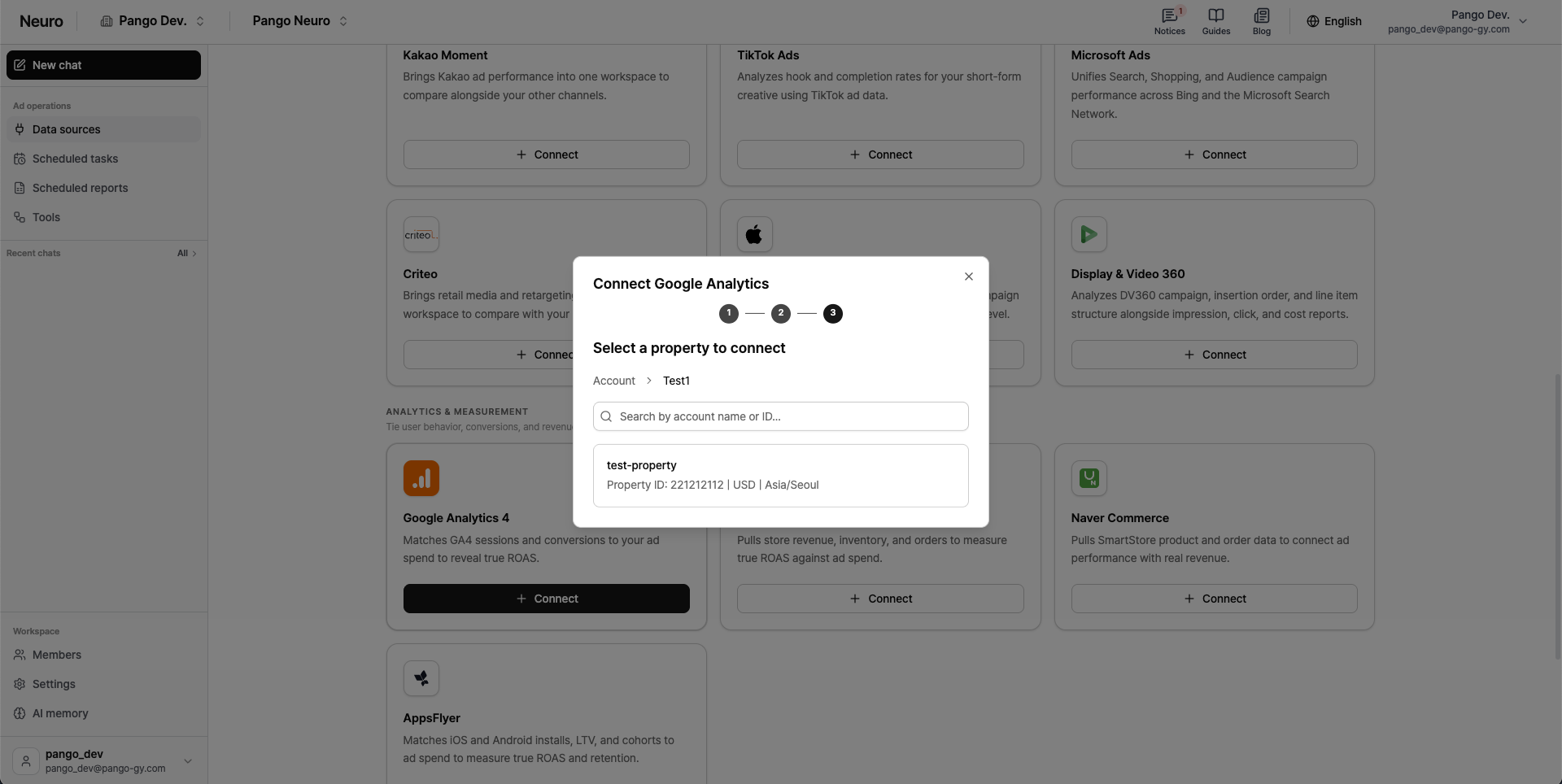
Within that account, select the property you want to connect.
You can go back to account selection using the account path shown above the search box.
Once you sign in, you won't need to sign in again when connecting other Google platforms (Google Ads, Google Docs, Google Sheets).