
Ad Operations Mode
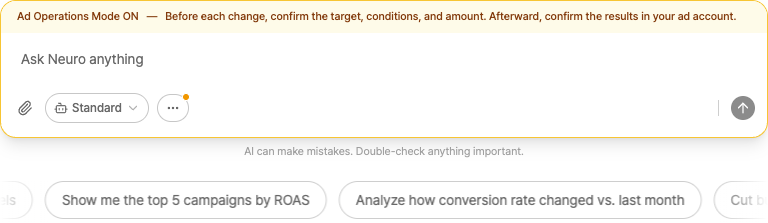
In regular chats, the AI only reads and analyzes your data. Turn on Ad Operations Mode to let it make real changes, such as creating campaigns or changing budgets.
How to turn it on
Open the ⋯ menu in the message box.
Turn on Ad Operations Mode. (It's off by default.)
Approval flow
When the AI proposes a change, an approval card appears.
The change takes effect only after you click Approve.
If you click Reject, nothing runs.
AI can make mistakes. After a change runs, always check it in the ad platform's management screen (Naver, Google, and so on).