
Connect Google Ads
Connect your Google Ads account and handle everything from pulling real-time data to running campaigns, just by chatting with the AI.
How to connect
In Workspace > Data sources, select Google Ads.
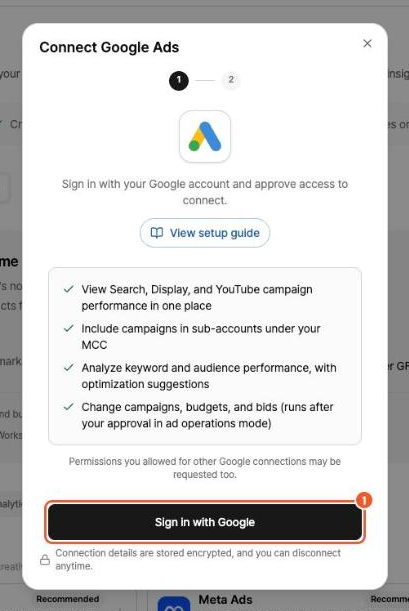
Click Sign in with Google, then sign in to Google and grant access in the pop-up.
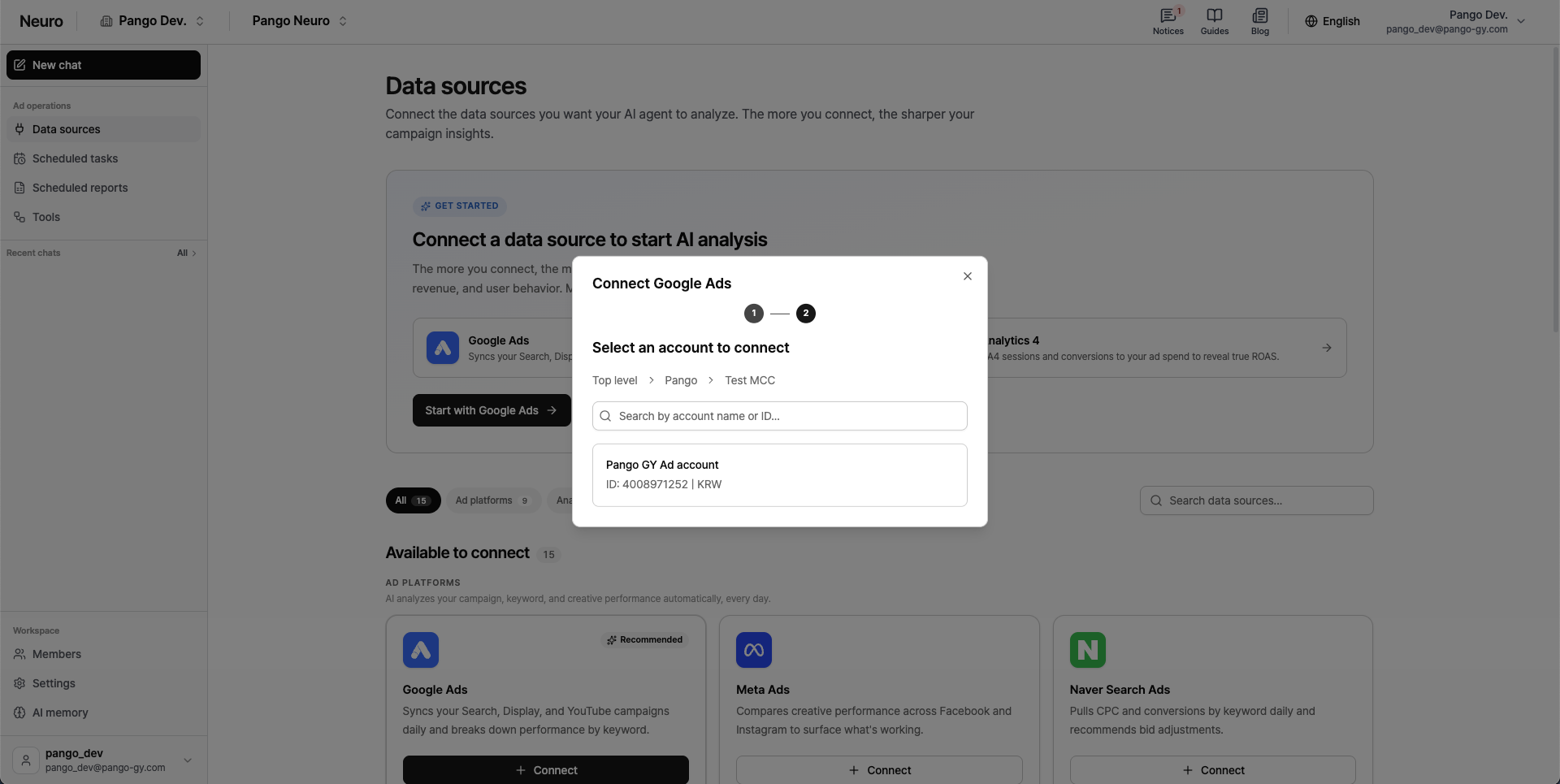
Select the ad account you want to connect from the account list.
If you have an MCC (manager account), drill down and choose the lowest-level account where your ads actually run.
To go back to a higher-level account, use the account path above the search box.
Once you've signed in, you won't need to sign in again when connecting other Google services (Google Analytics, Google Docs, Google Sheets).
Video (YouTube) campaigns are view-only.