
Connect Meta Ads
Connect your Meta ad account to handle everything from pulling up real-time data to running campaigns, just by chatting with AI.
How to connect
In your workspace, go to Data sources and select Meta Ads.
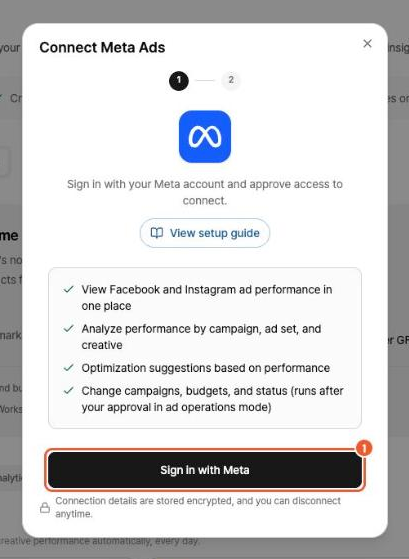
Click Sign in with Meta, then sign in to Meta and grant permissions in the pop-up.
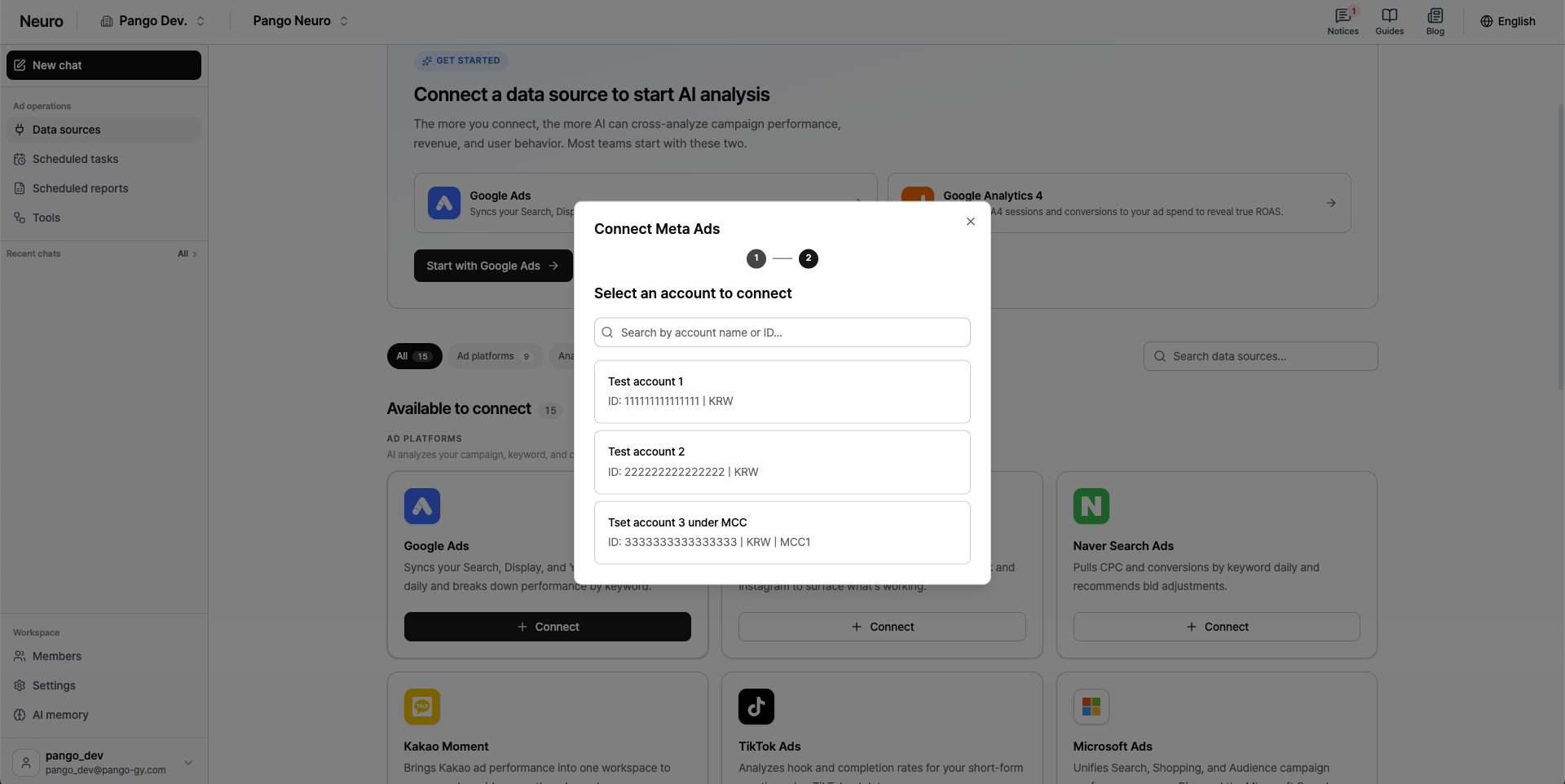
Select the account you want to connect from the list of ad accounts.
Good to know
What the AI can analyze in your Meta data depends on the type of permissions you have.
Required permission: You must have ad account access in Meta Ads Manager.
Reconnect when permissions change: If, after connecting, your permissions are changed or new assets (such as Pages or pixels) are added in Meta Business Settings, you need to sign in again and reconnect so Neuro picks up the updated permissions.