
Connect Kakao Moment
Connect Kakao Moment to handle everything from pulling up data to running campaigns, just by chatting with AI.
How to connect
In your workspace, go to Data sources and select Kakao Moment.
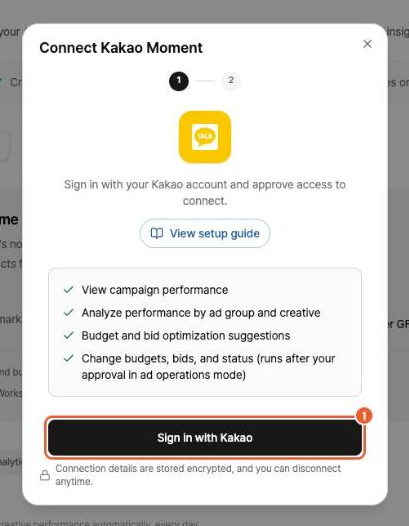
Click Sign in with Kakao and sign in to Kakao.
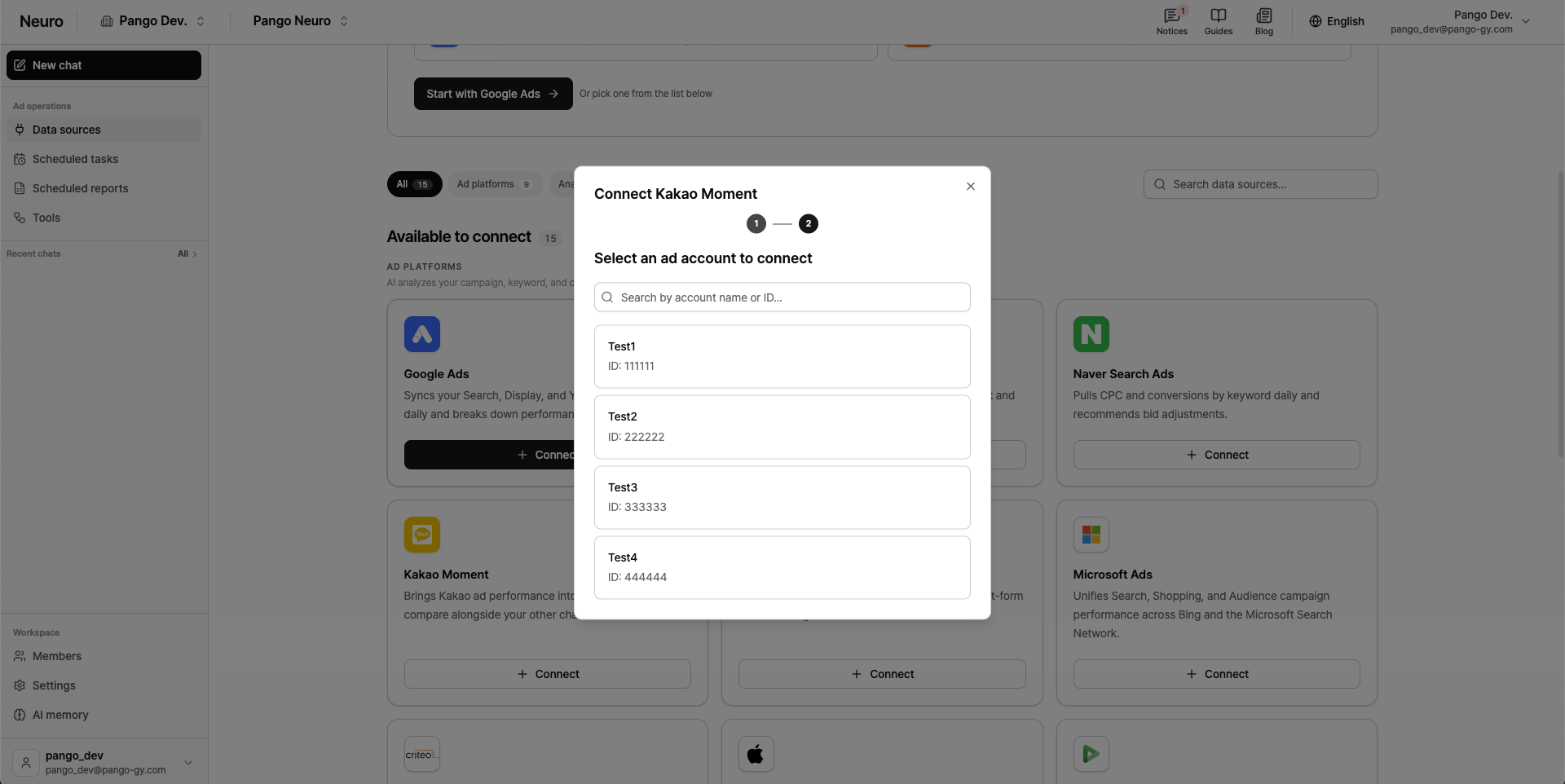
In the list of accounts, click the ad account you want to connect and grant access to Kakao Moment.
Good to know
For reliable Kakao Moment analysis, please review the data collection policy below.
Available date range: You can view data from up to 2 years before the date you first connect.
Initial data setup: When you first connect, it can take up to about 1 hour to load your data. Once collection is complete, you can use AI chat and analysis as usual.
Data updates: Data is refreshed periodically, so there may be a delay before the latest campaign information and performance appear.